 Clew
Clew Getting started
Introduction
Clew is a free, open-source note-taking application in the style of
Obsidian: your notes are plain Markdown files in a folder on your own
disk, connected by [[wikilinks]], browsed through backlinks,
graphs, and full-text search. What sets Clew apart is what happens when
you read a note — reading mode is a real typesetting engine —
and what happens when you ask your notes questions, because Clew's
queries can write their answers back into your files.
What Clew is
At its core, Clew manages vaults: ordinary folders of Markdown files. It adds an editor built on CodeMirror 6, a reading mode rendered by the jmarkdown engine, an infinite-canvas board with real drawing tools, interactive maps, a diary, a graph view, and a query system that treats the vault as a database. Everything lives in files you can open with any text editor, version with git, and sync however you already sync things. There are no accounts, no telemetry, and no cloud service — Clew talks to no server it was not explicitly pointed at.
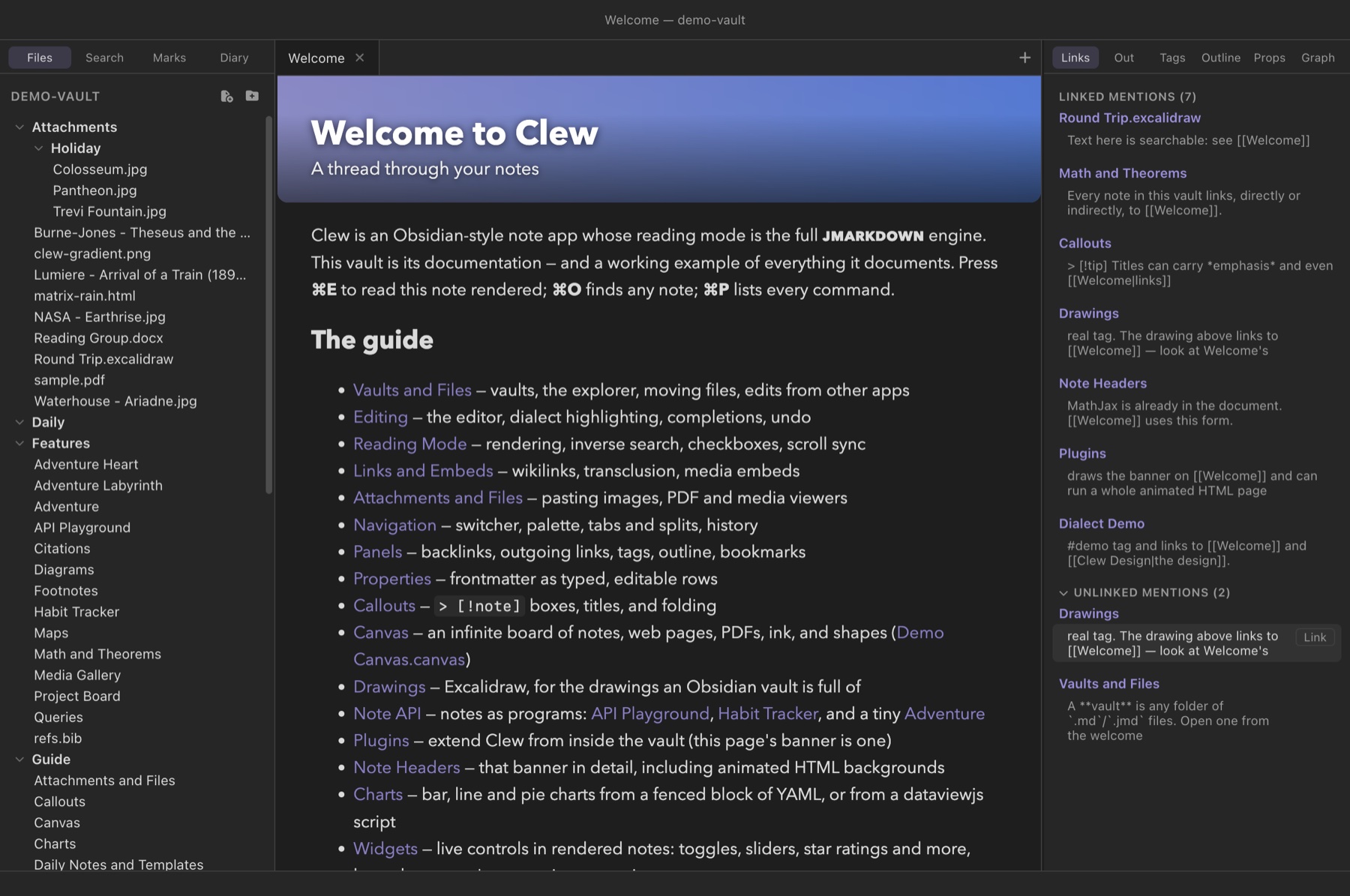
The name is not an arbitrary syllable. A clew is the old word for a ball of thread — the one Ariadne handed Theseus so he could find his way back out of the labyrinth. It is where the modern word clue comes from. That is the promise of the app in one image: a thread through your notes, so that no idea, once written down, is ever truly lost in the maze.
Five design commitments
Clew makes a small number of promises and takes them seriously. They explain most of the design decisions you will meet in the rest of this manual.
1. Plain text, on your disk
A vault is a folder. A note is a Markdown file. A canvas is a JSON
file. Clew's own state — its cache, its per-vault settings, its
plugins — lives in a single .clew/ subfolder you can delete
at any time without losing a word you wrote. Nothing about your notes is
held hostage: no proprietary format, no database file, no export step
between you and your own writing.
2. Obsidian compatibility is a hard constraint
Clew deliberately keeps its file formats Obsidian-shaped. Wikilinks
resolve the way Obsidian resolves them; canvases are standard JSON
Canvas files that Obsidian opens; Clew never writes into the
.obsidian/ folder, so its own settings survive untouched.
You can open the same vault in Clew and Obsidian — even at the same
time — and switch between them freely. Migration, in either direction,
is a non-event.
3. Reading mode is a typesetting engine
When Clew renders a note it does not run a lightweight preview approximation. It runs jmarkdown, a Markdown engine built for academic writing, in which the same source file compiles to HTML in the app and to LaTeX or PDF for print. That is why reading mode has real LaTeX mathematics with AMS numbering, theorem environments, BibTeX citations with proper bibliography styles, footnotes, mermaid and TikZ and MetaPost diagrams, and cross-references — and why exporting a note to PDF produces a printed page, not a screenshot of a preview.
4. The vault is a database — a writable one
Notes carry structured data: frontmatter properties and
checkboxes. Clew's
query fences collect that data
into live tables and lists, and — unlike any query system in the
Obsidian world — the results are editable: retype a table
cell, tick a task, drag a kanban card, and Clew rewrites the
frontmatter of the note the data came from. There is no separate
database file to fall out of sync, because the notes are the
database.
5. Programmable to the bone
Because Clew is free software, extension is not a business model — it
is a folder. A <script> tag inside a note gets a
Note API for reading and writing the vault;
a folder under .clew/plugins/ can add
new syntax to the engine, decorations to the
preview, and commands to the app. Both travel with the vault, so a
shared vault carries its own behaviour along with its content.
If you are coming from Obsidian
Everything you expect is here: wikilinks and embeds, tags, frontmatter properties, backlinks and outgoing links, a quick switcher, a command palette, tabs and splits, a graph view, daily notes, canvases, attachments by paste or drag, themes. The table below is the short version of what is different — each row links to the chapter that covers it.
| Area | What Clew does differently |
|---|---|
| Reading mode | A full typesetting engine: numbered equations, theorem environments, BibTeX citations, TikZ/MetaPost, GitHub-style alerts — the same source exports to print-grade LaTeX and PDF. |
| Syntax | An optional academic dialect (/italics/,
*strong*, ==highlights==, TeX-style
subscripts) — a superset of Markdown, and switchable back to standard
Markdown per vault. |
| Queries | Built in, no plugin — and writable. Edit a query cell, drag a kanban card, tick a gathered task: the source note is rewritten. |
| Canvas | Excalidraw-grade drawing on the canvas itself: ink, shapes, sloppiness, flowchart node styles, groups — in files Obsidian still opens. |
| Maps | Interactive Leaflet maps as a built-in fence, including photo maps that pin every geotagged photo in a folder. |
| Publishing | File → Export → Vault as Website compiles the whole vault to a static site — Obsidian Publish without the subscription. |
| Symlinks | Fully supported and cycle-safe, so a vault can weave in folders that live elsewhere on your disk. |
| Extension | Plugins live inside the vault and extend three seams: the engine, the preview, and the app. Notes themselves can be programs. |
Two vaults ship with Clew
The repository includes two example vaults, and they are worth opening before anything else, because they are not passive samples:
demo-vault/is Clew's own documentation written in Clew. ItsGuide/folder walks every feature, and every guide note exercises the feature it documents — the page about maps contains working maps; the page about the Note API is itself scriptable. ItsFeatures/folder stress-tests the engine: citations with a real bibliography, math and theorems, diagrams, an embedded 1895 film.study-vault/is a worked example: a semester of academic life — papers in progress, a reading list, essays to mark — run entirely on the writable database. Drag a card on its kanban board and watch a dashboard table, a rating cell, and a task list all follow the same edit, because they all read the same files.
How this manual is organized
The manual reads front to back if you are new, but every chapter stands alone and cross-links the others, so you can equally start at whatever itch brought you here.
- Getting started — installation, your first vault, and a guided tour.
- The vault — what a vault is on disk, the file explorer, attachments, and how Clew coexists with other apps editing the same files.
- Writing — the editor, the jmarkdown dialect, links and embeds, properties, and the diary.
- Reading mode — how rendering works, then a chapter each for mathematics, citations, diagrams, and maps.
- The vault as a database — queries, tasks, and kanban boards, including how writing back works.
- Canvas — the infinite board: cards, live note embeds, web pages, ink, shapes, groups, and portals.
- Workspace — tabs, splits, panels, search, and the graph.
- Sharing your work — exporting single notes to HTML/LaTeX/PDF, and publishing a vault as a website.
- Extending Clew — the Note API, vault plugins, and theming.
- Reference — every setting and every default hotkey.
Conventions used in this manual
Keyboard shortcuts are written with macOS symbols: ⌘P means hold Command and press P. On Windows and Linux, read ⌘ as Ctrl and ⌥ (Option) as Alt throughout — Clew maps them automatically, and nearly every shortcut can be rebound in the hotkey editor. On the iPad the same chords work with a hardware keyboard; without one, the toolbar's ⌘ button opens the command palette, which reaches every command by name.
Source examples show what you type into the editor:
You write
The ball of thread — the *clew* — is where the word /clue/ comes from.and where the rendered result is simple enough to reproduce in a web page, it appears in a result box:
Reading mode shows
The ball of thread — the clew — is where the word clue comes from.
Where the result is richer than a page like this can imitate — a rendered equation, a live map, a canvas — the manual shows a screenshot from the real app instead, captioned with the vault and note it came from.
Free software
Clew is released under the GNU General Public License, version 3 or later. You may use it for anything, study how it works, share it, and change it; if you distribute it or a derivative, it travels under the same licence, with source. The full licence text ships with the app, and the licence and credits section of the website records the third-party components Clew builds on.